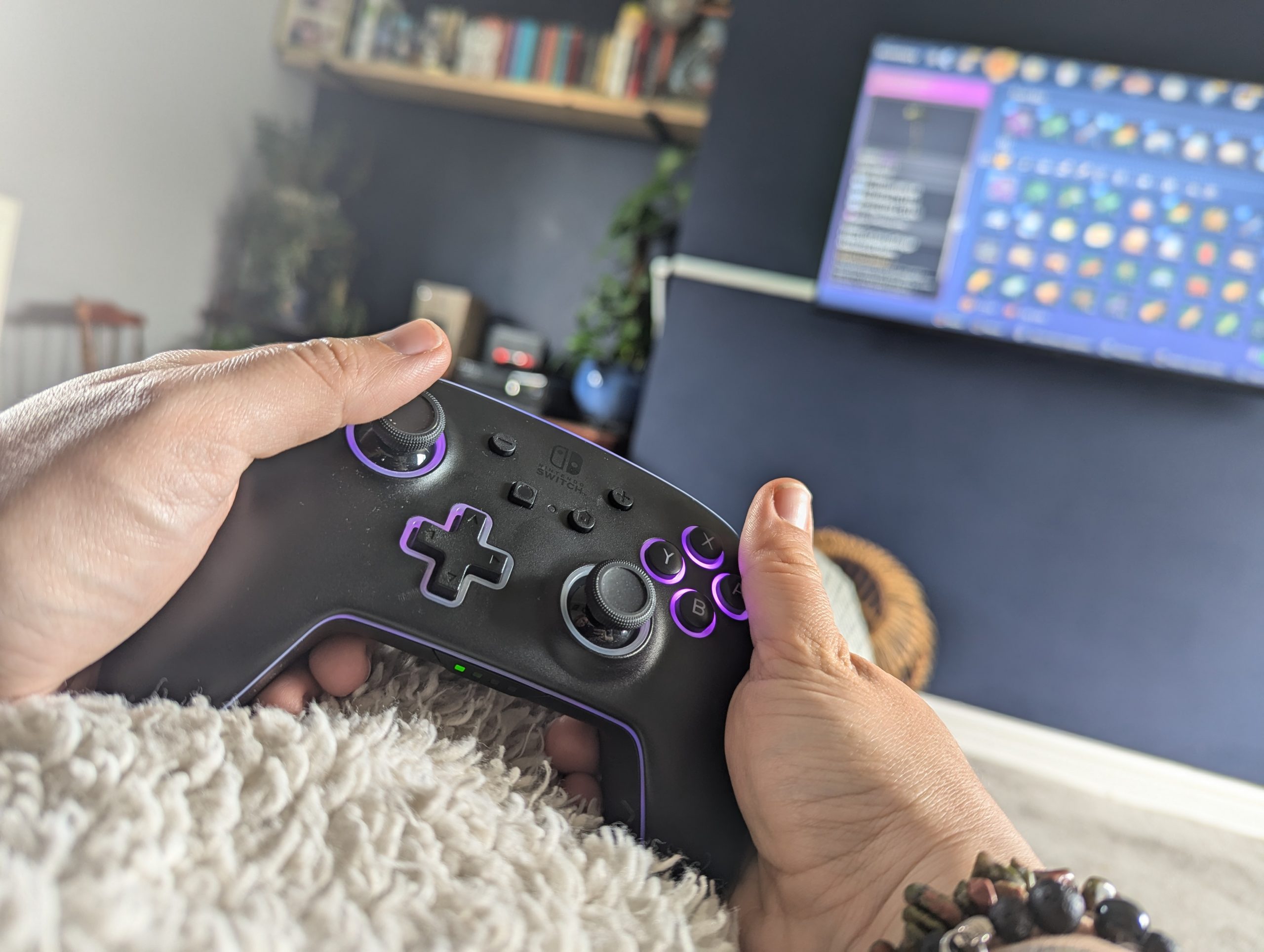

With thanks to the folks at PowerA I’ve been checking out their licensed Nintendo Switch controller, the Enhanced Wireless Controller With Lumectra™ RGB. This new solution is a pretty take on Switch controller design, and comes with a lot of customisable options. I’ve been taking an extended look at the Lumectra, ensuring that we can cover battery life and stick drift as well, important for any wireless switch controllers.
You can keep us ad-free here by subscribing over on Twitch, where you’ll get ad-free viewing, emotes and access to our subscriber-only area on Discord
The Basics – What Does PowerA’s Enhanced Wireless Controller With Lumectra Do?
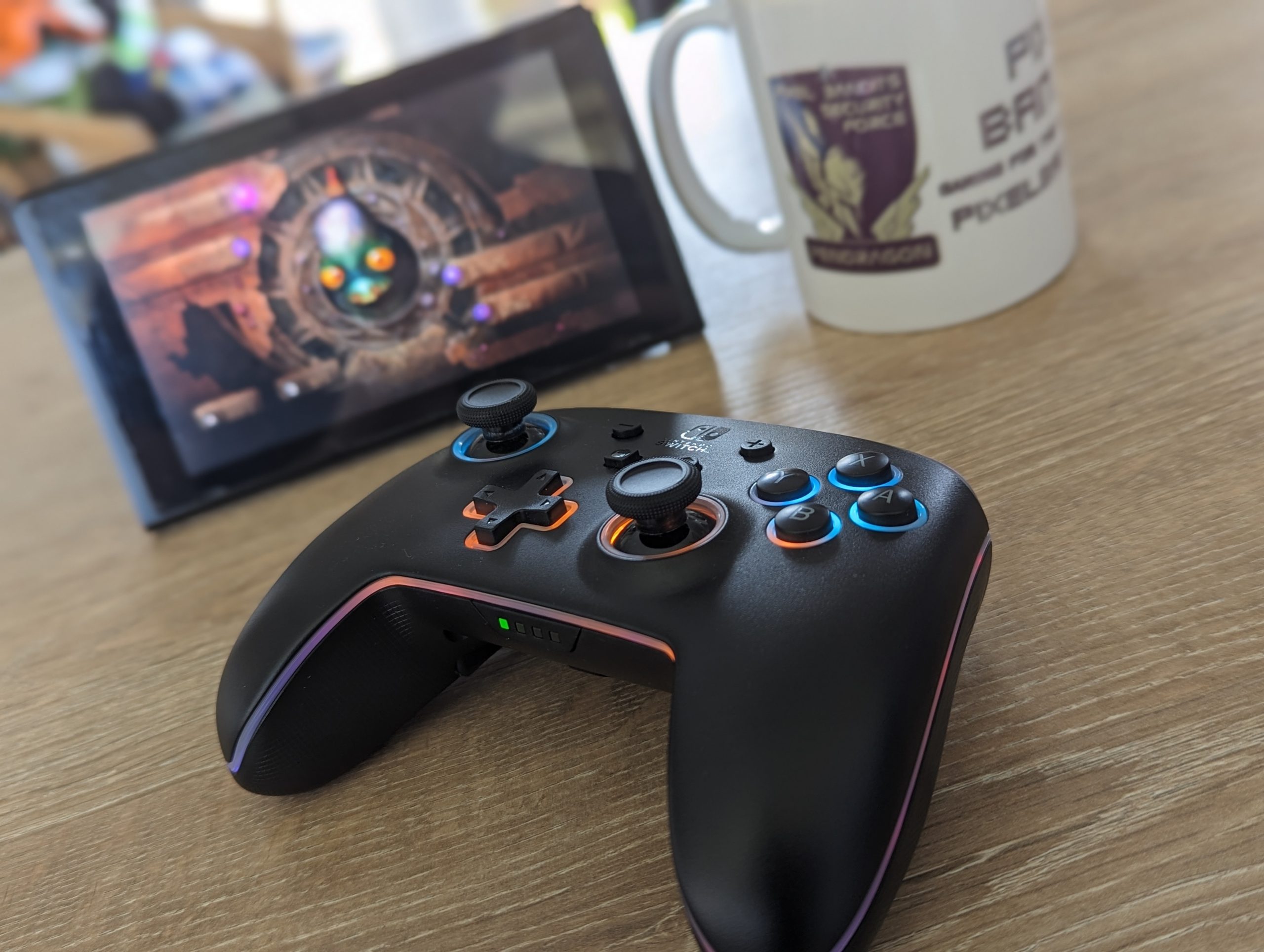
The Lumektra controller for Nintendo Switch provides an RGB wireless device, which players can customise pretty easily. The controller comes with all of the buttons that you would usually expect on a Nintendo Switch interface, alongside an additional two buttons on the back of the controller.
It also has some pretty excellent RGB customisation options. Players can customise 4 different RGB zones with 24 colours and three lighting modes. Customisation (including lights and the important back buttons) is all handled through the controller itself, using a separate, discrete button on the rear of the controller.
We’ve been using the Enhanced Wireless Controller With Lumectra for an extended period, in order to not only cover the comfort and functionality, but ensure that battery life and stick drift don’t impact players. Overall, we’ve found this to be pretty exceptional, with battery life being particularly impressive.

The Enhanced Wireless Controller With Lumectra charges via a standard USB-C, and is chargeable while you’re playing. We’ve only needed to plug it in a handful of times, and with the lights going out to warn players of impending charging needs, you’re unlikely to have a surprising dead controller moment.
Stick drift has also not been an issue, and all buttons and controls are working well and as intended, even now a couple of months on from our first experience with the controller. It’s become invaluable here in the PB office, for giving our Switch games a run around with a solid and licensed wireless solution.
The Run Down – Our Five-Point Rating for PowerA’s Enhanced Wireless Controller With Lumectra
Functionality – 5: While it did take a read of the control manual to get the customisation in place, the Enhanced Wireless Controller With Lumectra has been working exactly as intended. Connection to our Switch was easy, and hasn’t had any issues at all. We’ve also managed to completely customise the RGB and back buttons, and while this could have been simpler with an app, it’s worked very well to give a personalised feel. Buttons and sticks have continued to perform brilliantly, and overall it’s everything we could want from a wireless Switch controller – and more.
Visuals – 5: The Enhanced Wireless Controller With Lumectra looks great, even with the RGB lighting turned off. Folks will find it similar to the Nintendo Switch Pro controller, but the extra RGB customisation definitely gives it an extra pop. It’s great that it doesn’t sacrifice visuals with RGB turned off, and the black design does well to hide grubby fingerprints from our Micro-Bandits.
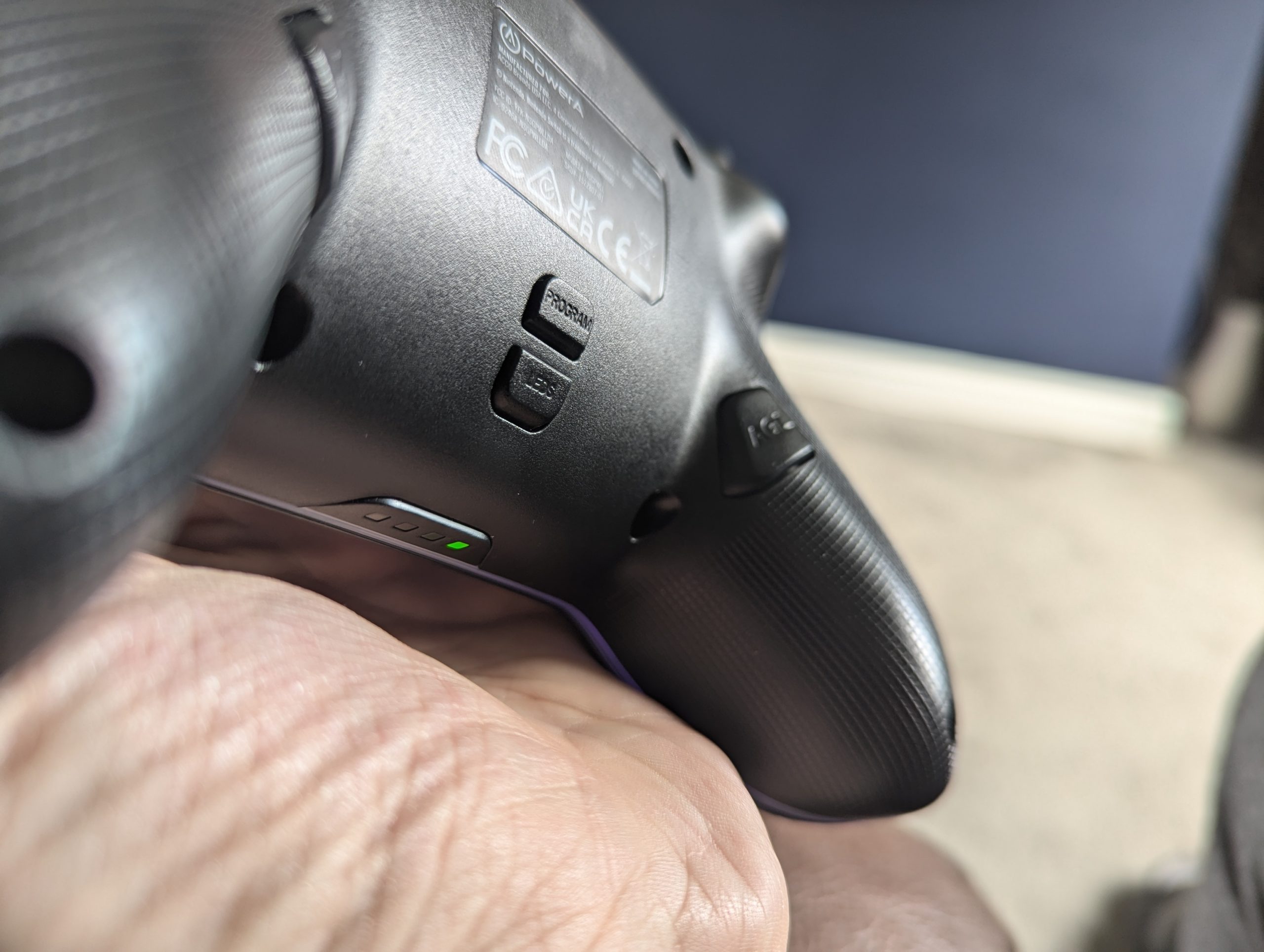
Build – 4:Overall things here are very solid. The controller feels good to hold, and – for the most part – is ergonomic and exactly as you’d expect from a licensed Switch controller. The two additional back buttons might get in the way of comfort a little for some people, depending on hand size, and could be made a little more in line with the controller surface. Apart from that, though – and that should be for a minority of folks – things work well to deliver a familiar-feeling wireless solution
Storage – 3:The Enhanced Wireless Controller With Lumectra doesn’t come with any storage case or bag, and this would have been a nice touch to ensure the hardware is kept safe. Outside that, it’s a pretty standard size, and should fit in well with other console controllers you keep around the house. Ours frequents a dedicated controller drawers, and camouflages itself in well with other controllers – until we turn it on, that is.
The Verdict – Is PowerA’s Enhanced Wireless Controller With Lumectra Worth It?

Overall my Pixel Bandits’ Link to the Switch Level for PowerA’s Enhanced Wireless Controller With Lumectra is a high-scoring 9 / 10.
With a great battery life, brilliant RGB visuals and a solid build, the Enhanced Wireless Controller With Lumectra has become a staple for Switch control in the PB office. It’s definitely another which for me (as a child of the 90s) really helps to strip off the negative connotations with third-party controllers.
If you’re in the market for a wireless solution for your Nintendo Switch, it’s definitely one which comes highly recommended. PowerA have done a great job here to deliver a build which feels comfortable, and works very well simply as a wireless controller. The additional customisation on top of that can be a little fiddly (as it’s all altered with button presses on the controller) but once you’ve got the hang of it, it becomes a lit easier.
It’s one we’ll continue to get a lot of use out of here, as both adults and Micro-Bandits. If you have any questions on the controller or would like a little guidance when grabbing your latest hardware or software, get in touch with us on your favourite social media platform.
As ever, to provide this review and common-sense parent’s guide, we received a free Enhanced Wireless Controller With Lumectra from the folks at PowerA. Links in this page may (but do not always) earn referral income.